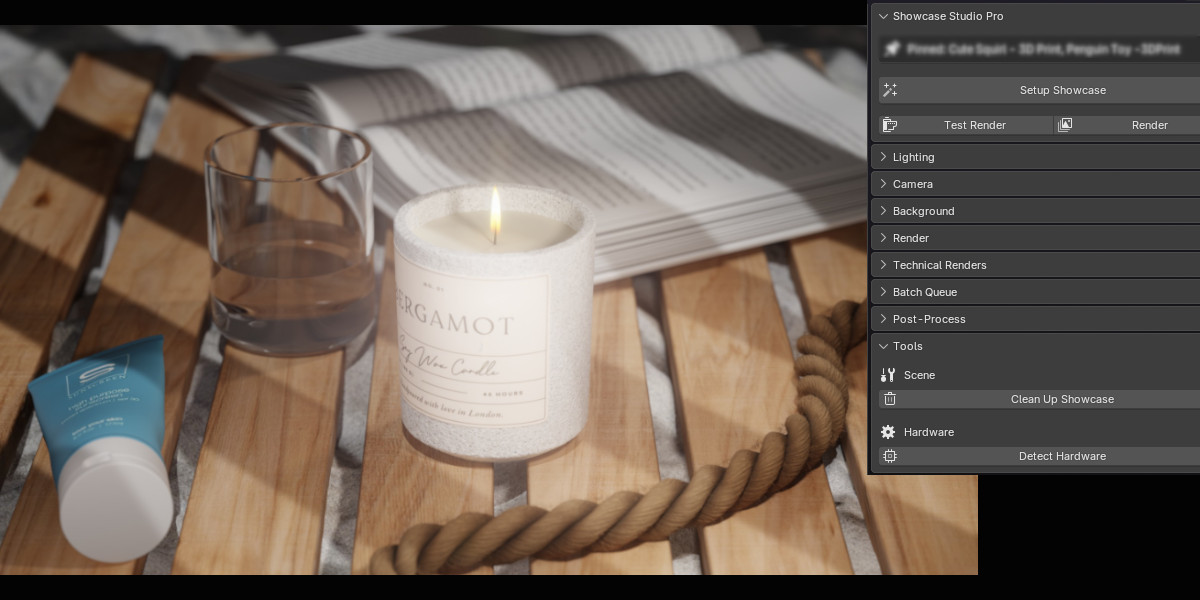
One-click adaptive lighting, smart camera framing, depth of field, and batch rendering — all calibrated automatically to any asset size.
Showcase Studio is a Blender add-on that automates the complete product rendering workflow — from lighting and camera positioning to post-processing and batch output — so artists can produce consistent, professional renders for any asset without manual setup. It measures each object's bounding sphere at runtime and scales every light, camera distance, and depth-of-field value to match, ensuring a ring and a vehicle are lit equally well using the same preset.
Key capabilities:
Available in three editions: Lite (core lighting, camera, backgrounds, technical renders), Pro (all Lite features plus GOBO, DOF, batch rendering, turntable, post-processing, and per-light controls), and Ultimate (Pro plus four additional preset packs — Anime & Stylized, Game Art, Extended Cinematic, and Extended Product — for 37 total presets). Requires Blender 4.5+. Works with Cycles and EEVEE. Full armature and character support included in all editions.
The Problem
Every time you switch objects you redo the same tedious work: move lights, guess camera distance, tweak f-stop, set up the floor — and still end up with inconsistent results across your portfolio.
A lighting setup sized for a character is blinding on a small prop and too dim on a large vehicle. Every switch means adjusting energy and distances by hand.
Orbiting the viewport, adjusting focal length, moving the camera back — repeated for every object and every angle, never quite the same twice.
Rendering 20 assets means 20 manual setups. No way to queue them, no consistent framing or lighting, and no time for anything else while it runs.
The Solution
Every preset measures the object's bounding sphere and sets light energy, size, and distance to match — so a ring and a tank look equally polished.
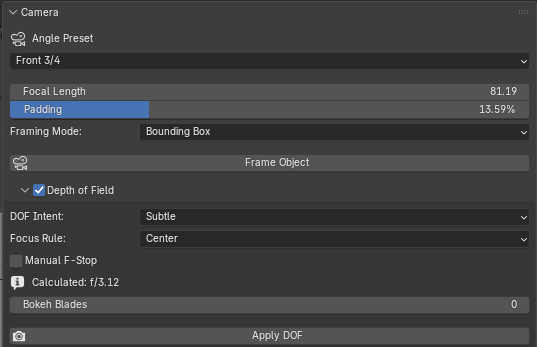
Choose an angle preset and the camera positions itself at the exact distance for any focal length. Focal length and padding sliders update live — no Apply button.
Pick an intent — Subtle, Dramatic, Extreme Shallow — and the correct f-stop is calculated from the object's actual measured depth. No formulas, no guessing.
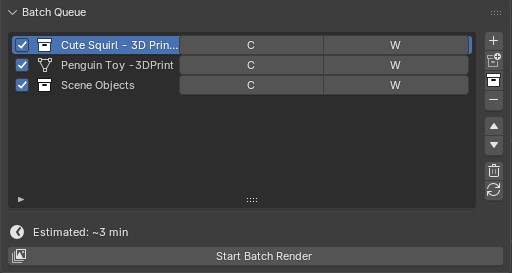
Add objects to the queue and walk away. Each one gets camera framing, lighting, floor, and DOF re-applied before its render fires.
Features
Professionally crafted presets covering portrait, cinematic, and product photography. Every light auto-scales in energy, size, and position to your object's bounding sphere.
8 angle presets plus custom azimuth/elevation. The camera calculates exact distance for any focal length so the object always fills the frame perfectly. Focal length and padding update live. Pin any selection as a persistent target — all operations use pinned objects even after deselecting.
Five intent levels from Everything Sharp to Extreme Shallow. F-stop is derived from the object's actual depth — focus point, bokeh shape, and aperture all configurable. F-stop and blades update live.
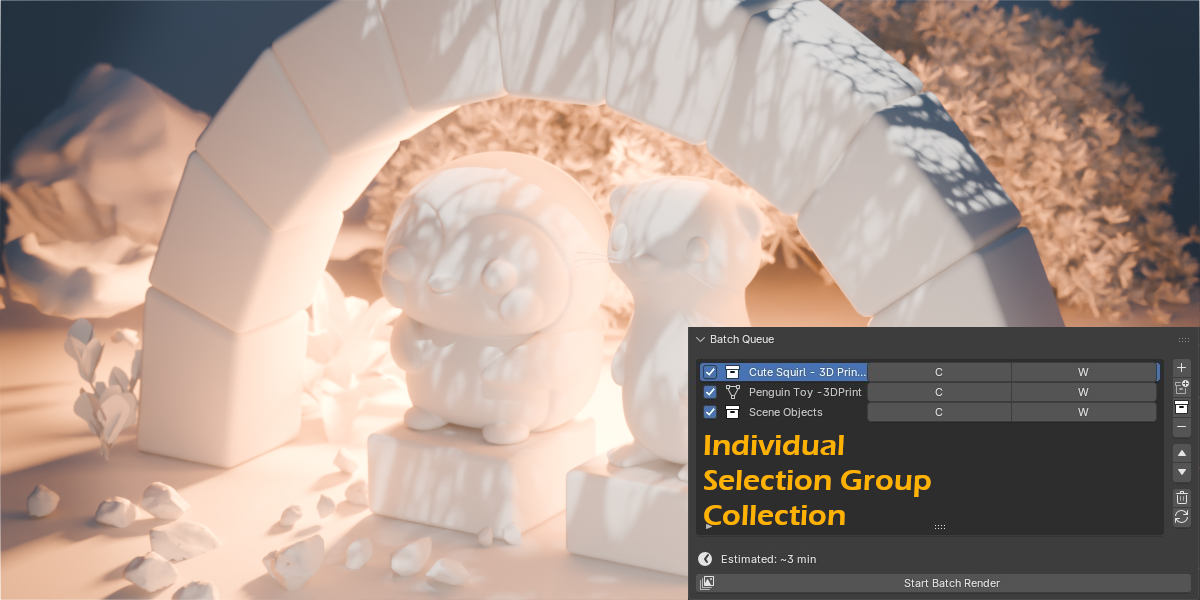
Queue any mix of meshes and armatures. Each object gets its own camera setup, lighting, floor placement, and DOF calculation. Normal, Clay, and Wireframe passes per item.
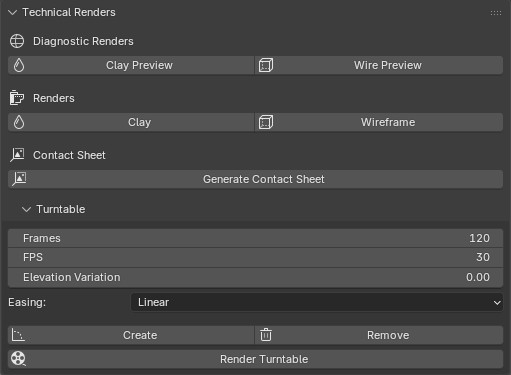
One button creates a full 360° camera orbit with optional sine-wave elevation variation and smooth easing. Export the full animation as an image sequence directly from the panel.
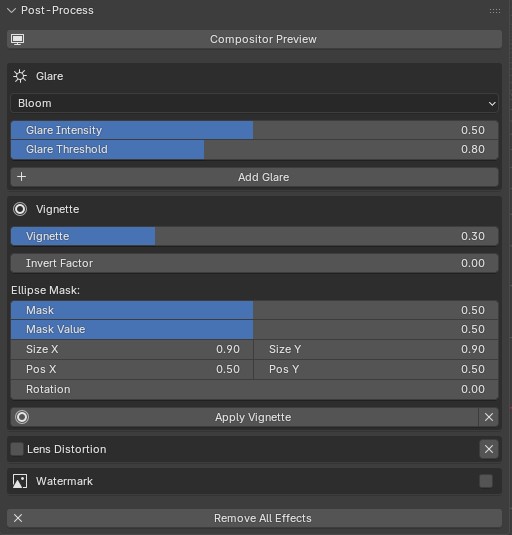
Multiple glare types (Bloom, Streaks, Ghosts, Star), lens distortion with chromatic aberration, vignette, and watermark — all via Blender's compositor. Contact Sheet renders all 8 angles into a grid automatically.
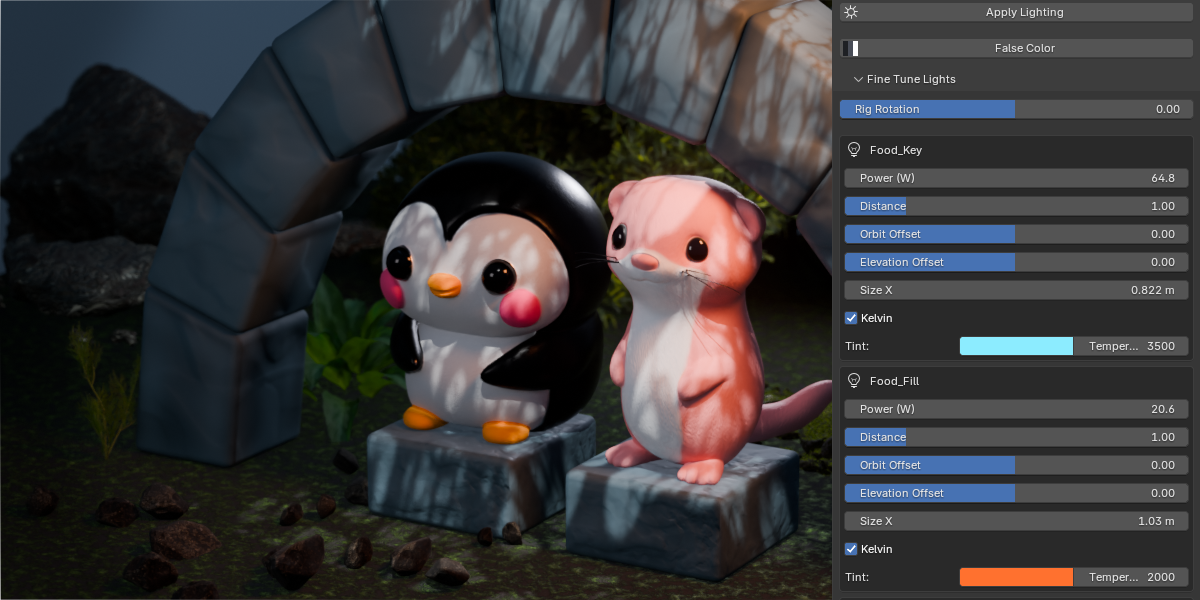
Adjust each light individually: distance scale, azimuth & elevation offset, color temperature (1000–12000 K), and tint. Global Rig Rotation orbits all lights around the object at once.
One-click Clay and Wireframe render passes. Viewport Clay and Wireframe toggles for live preview. False Color view for inspecting light intensity distribution.
See It In Action
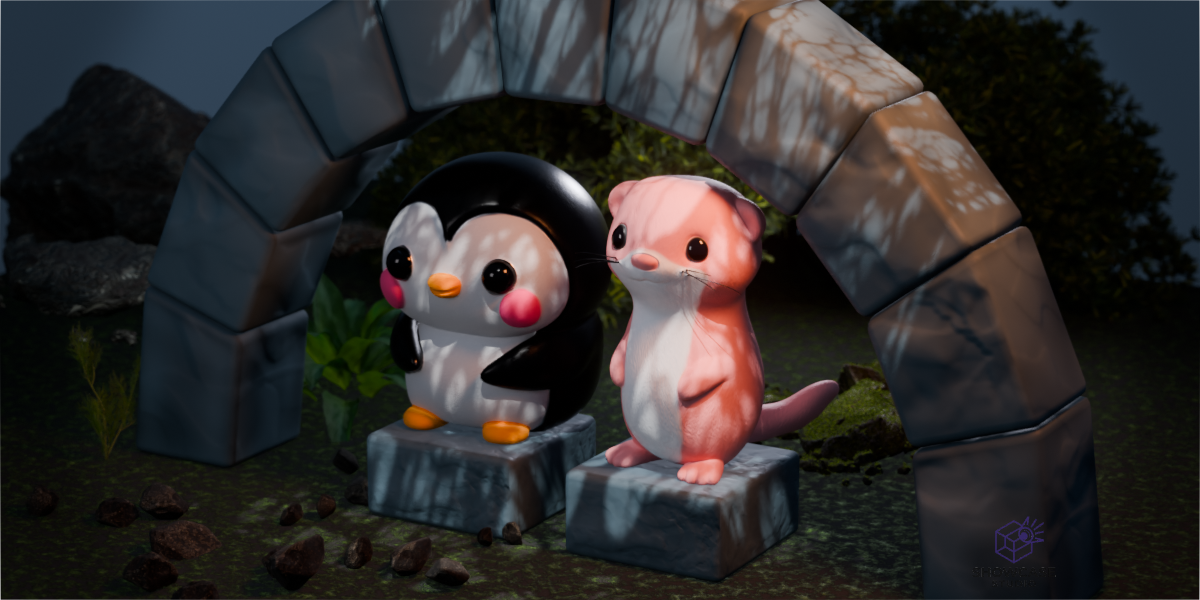
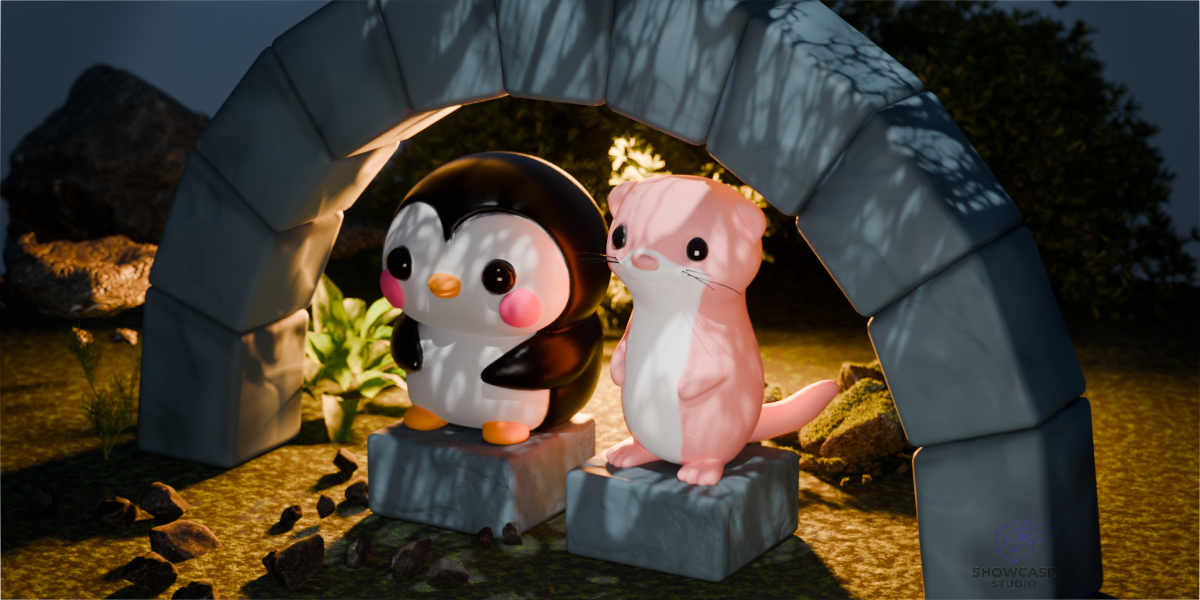
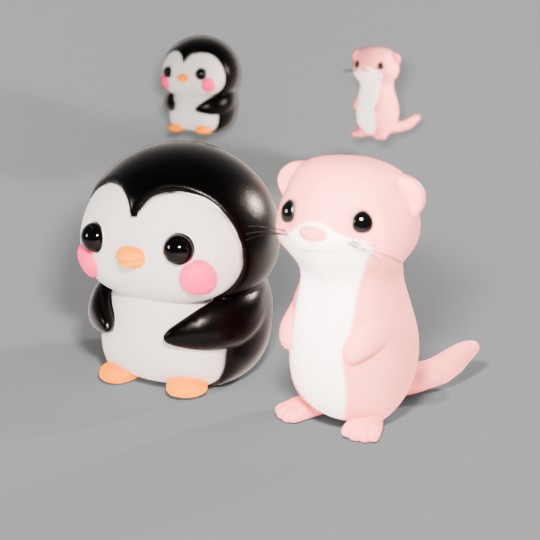
Adaptive lighting, camera framing, GOBO shadow patterns, batch rendering, and post-processing.
Lighting Presets
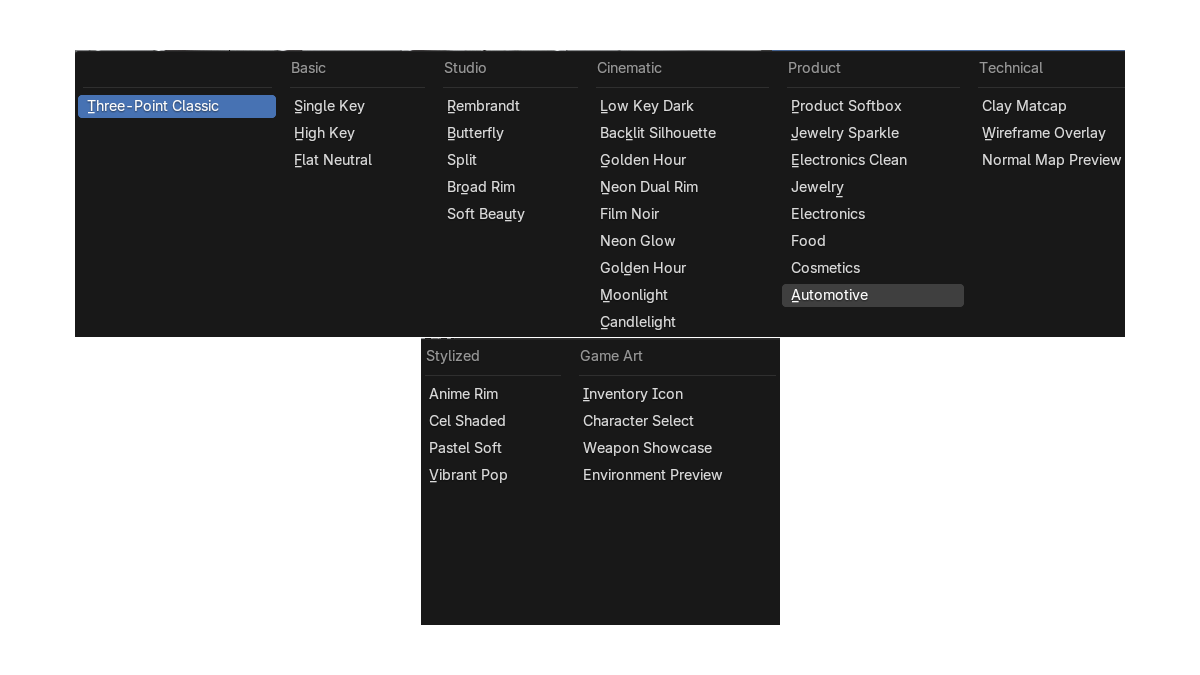
Every preset is a proven photographic or cinematic technique, re-engineered to scale automatically to any Blender object.
19 built-in presets plus all four additional packs — Anime & Stylized, Game Art, Extended Cinematic, and Extended Product — giving you 18 more hand-crafted setups on top of the 19-preset Pro core.
Comparison
See how each step of a product render maps to a single control in Showcase Studio.
| Step | Without the Add-on | With Showcase Studio |
|---|---|---|
| Lighting | Manually place, size, and adjust energy of every light for each object | Select a preset — lights auto-scale in energy, size, and position to the object |
| Camera | Orbit the viewport, guess distance, adjust focal length, repeat for each angle | Pick an angle preset → Frame Object. Camera positions itself at the correct distance |
| Depth of Field | Look up thin-lens formula, estimate CoC, set f-stop manually, check in preview | Choose an intent (Subtle / Dramatic / Extreme Shallow) — f-stop calculated from object depth |
| Multiple Objects | Repeat the entire setup for each asset — hours of repeated manual work | Add to Batch Queue, press Start — each object gets full setup and renders unattended |
| Turntable | Create an empty, parent the camera, keyframe Z-rotation, adjust timing manually | Click Create Turntable — pivot, keyframes, and easing are all set up in one click |
| Consistency | Results vary per setup — no guaranteed match between renders of different assets | Same preset + same settings = identical style across every asset, every time |
| Contact Sheet | Render each angle manually, export, composite in an external image editor | Generate Contact Sheet — renders all 8 angles and composites a grid automatically |
| Post-Processing | Open an external image editor, manually add bloom, vignette, lens effects to each render | Built-in Bloom, Streaks, Ghosts, Star, Lens Distortion, and Vignette — applied in the compositor instantly |
| Technical Views | Create a clay material, assign it manually, set up wireframe modifier with correct thickness | One-click Clay Render, Wireframe Render, and viewport toggles. False Color for light inspection |
Editions
All editions include full armature and character support. Upgrade at any time.
| Feature | Lite | Pro | Ultimate |
|---|---|---|---|
| Basic Lighting Presets (4) | ✓ | ✓ | ✓ |
| Technical Presets (3) | ✓ | ✓ | ✓ |
| Studio, Cinematic & Product Presets (12) | — | ✓ | ✓ |
| Smart Camera Framing (8 angle presets) | ✓ | ✓ | ✓ |
| Target Pinning | ✓ | ✓ | ✓ |
| Background (Solid, Gradient, Transparent) | ✓ | ✓ | ✓ |
| Floor Plane (Flat & Cyclorama) | ✓ | ✓ | ✓ |
| Render Profiles (Portfolio, Social, Custom) | ✓ | ✓ | ✓ |
| Render Quality (Preview / Final) | ✓ | ✓ | ✓ |
| Engine Override (Auto / Eevee / Cycles) | ✓ | ✓ | ✓ |
| Technical Renders (Clay, Wireframe) | ✓ | ✓ | ✓ |
| False Color View | ✓ | ✓ | ✓ |
| Hardware Detection | ✓ | ✓ | ✓ |
| HDRI Environment Lighting | — | ✓ | ✓ |
| Per-Light Fine-Tuning | — | ✓ | ✓ |
| Lighting Rig Rotation | — | ✓ | ✓ |
| Adaptive Depth of Field | — | ✓ | ✓ |
| Batch Rendering Queue | — | ✓ | ✓ |
| Turntable Animation Export | — | ✓ | ✓ |
| Contact Sheet (8-angle grid) | — | ✓ | ✓ |
| Glare, Vignette, Lens Distortion & Watermark | — | ✓ | ✓ |
| Anime & Stylized Pack (4 presets) | — | — | ✓ |
| Game Art Pack (4 presets) | — | — | ✓ |
| Extended Cinematic Pack (5 presets) | — | — | ✓ |
| Extended Product Pack (5 presets) | — | — | ✓ |